Skip to content
9999w App / Mobile
LIVE LOBBY

9999w — Slots, Live Tables and Sportsbook for Pakistan

Live dealer streams from CQ9, PG Soft, Spadegaming and JDB sit alongside slot rooms and a cricket-led sportsbook, all accessible after a single account login. Your wallet tops up through JazzCash, Easypaisa or Raast — the same payment rails you already use every day, where availability depends on local law and eligible regions.

JazzCash Easypaisa Raast
Browse games
CONTENT / 01

From Lahori Lights Slots to Live Roulette Wheel

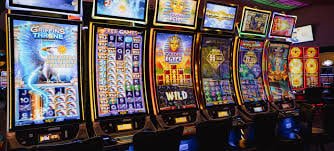
The lobby brings together four content studios — CQ9, Spadegaming, JDB, and PG Soft — covering slot rooms, live dealer tables, table games and crash game categories. Lahori Lights Slots and K2 Summit Slots sit in the slot section alongside high-cap prize-style rooms. The live section puts you at a Live Roulette Wheel or live baccarat table with a real dealer on screen.

DISCOVER / 01

Choose your game

Full lobby
GAME NETWORK
CQ9
Spadegaming
JDB
PG Soft
CONTENT / 04

9999w lobby studios

The 9999w lobby carries content from CQ9, Spadegaming, JDB, PG Soft. To check the studio, rules or features of one specific game, open that game card or the published information panel.

  • CQ9

  • Spadegaming

  • JDB

  • PG Soft

ACCOUNT DASHBOARD

What's Running Is Shown in Your Account

We do not list specific prize amounts or gameplay schedules here because they are account-specific and can vary by region and eligibility. The current state of anything running on your account — including any active prize rounds, wallet credit, or slot-feature room access — is shown in your account dashboard after login. To check what applies to your account, log in and open the dashboard panel; the details there are the ones that matter for your session.

Login
LOCAL PAYMENTS

JazzCash, Easypaisa and Raast — Your Account Wallet

Topping up your account wallet works through the payment methods already on your phone. JazzCash and Easypaisa are the two mobile wallet options in the deposit flow — you select the method, enter the amount, and follow the confirmation steps shown on screen. Raast is available for bank-linked transfers if you prefer that route.

  • JazzCash

    JazzCash deposits go through the payment flow inside your account. Select JazzCash in the deposit section, enter your amount, and complete the confirmation steps shown on screen. The wallet balance updates once the transaction clears, and the reference number is saved in your wallet history for tracking.

  • Easypaisa

    Easypaisa is available alongside JazzCash as a mobile wallet option in the deposit section. The steps are the same — select the method, enter the amount, follow the on-screen confirmation. Transaction status and reference numbers appear in your account wallet history after the deposit is processed.

  • Raast

    Raast lets you transfer from a bank-linked account directly into your 9999w wallet. It appears as a deposit option for accounts where bank verification has been completed. The reference number for every Raast transaction is recorded in wallet history so you have a trace if you need to follow up with support.

  • Bank Transfer

    Bank transfer is listed in the deposit section for verified accounts. Enter the amount, follow the account details shown in the transfer screen, and keep the bank-side reference number. Status updates appear in your wallet history; allow the processing window shown on screen before contacting support about a pending transfer.

JazzCash Pakistan payment context
Easypaisa Pakistan payment context
Raast Pakistan payment context
MOBILE SESSION

The Lobby on a Mobile Screen — Same Account, Same Wallet

The 9999w lobby is designed to work on the screen you have open, whether that's a phone during a commute or a desktop at home. On a phone, the game categories reflow into a vertical scroll — slot rooms at the top, live tables below, crash games and sportsbook further down. The chip row showing your wallet balance and payment options stays pinned so you can top up without leaving the game section.

  • Mobile Wallet Top-Up

    Your JazzCash or Easypaisa top-up takes the same steps on mobile as on desktop — open account menu, select deposit, pick your method. The wallet balance shown in the chip row updates once the transaction clears, and the reference number is saved in wallet history.

  • Quick-Round Games

    Crash Drift and Football Winners Club are suited to shorter mobile sessions — each round completes in under a minute, so you can fit a few rounds into a break without a long session commitment. Both titles load quickly on mobile data connections.

  • Live Tables on Mobile

    Live Roulette Wheel and live baccarat tables stream on mobile. A stable connection gives the smoothest experience. If the stream drops, the round state is preserved — re-open the table from the live section and you will re-enter the same game in progress.

CONTENT / 03

The Lobby on a Mobile Screen — Same Account, Same Wallet

The 9999w lobby is designed to work on the screen you have open, whether that's a phone during a commute or a desktop at home. On a phone, the game categories reflow into a vertical scroll — slot rooms at the top, live tables below, crash games and sportsbook further down. The chip row showing your wallet balance and payment options stays pinned so you can top up without leaving the game section.

  • Mobile Wallet Top-Up

    Your JazzCash or Easypaisa top-up takes the same steps on mobile as on desktop — open account menu, select deposit, pick your method. The wallet balance shown in the chip row updates once the transaction clears, and the reference number is saved in wallet history.

  • Quick-Round Games

    Crash Drift and Football Winners Club are suited to shorter mobile sessions — each round completes in under a minute, so you can fit a few rounds into a break without a long session commitment. Both titles load quickly on mobile data connections.

  • Live Tables on Mobile

    Live Roulette Wheel and live baccarat tables stream on mobile. A stable connection gives the smoothest experience. If the stream drops, the round state is preserved — re-open the table from the live section and you will re-enter the same game in progress.

FEATURE BRIEF / 05

Cricket Sportsbook and Slot Rooms — Two Ways to Play

The sportsbook section leads with cricket because that's where the most Pakistan interest sits — PSL fixtures and international matches are listed when they're scheduled, with market types shown alongside each match. We do not fabricate odds or guarantee returns; the prices shown are live at the time you open the market and can change before you place a bet.

Game feature guide
  • Cricket Sportsbook

    PSL and international cricket markets are available in the sportsbook section when fixtures are scheduled. Market types are listed per match — open the fixture to see available bet types. Odds shown are live and subject to change; confirmed bets are recorded in your bet history under the account menu.

  • Slot Rooms

    Lahori Lights Slots, K2 Summit Slots and Hunza Peak Prize are three slot rooms with Pakistan-referencing themes. Each runs standard reel mechanics with paylines and a bonus round under the game's own published conditions. RTP is shown on the game info screen where the studio exposes it.

  • Live Dealer Tables

    Live Roulette Wheel and live baccarat put a real dealer on screen in real time. Session pace is set by the table — rounds run on the dealer's schedule. These tables are best suited to a stable connection; the live section in the lobby lists which tables are currently open.

GETTING STARTED

Open an Account and Reach the Lobby

Getting from the landing page to a live table or slot room takes a few steps. First, open the account registration page — the form asks for your email address, a password and basic account details. Once those fields are submitted, a confirmation is sent to the email you entered; follow the link in that email to verify the address. After verification, log in with the credentials you set.

  1. Register Your Account

    Open the account page and complete the registration form with your email and password. A confirmation link is sent to your email — click it to verify the address before logging in.

  2. Complete Account Verification

    After login, open account settings to complete identity verification. The fields and document steps are shown there. This step is required before deposit and withdrawal functions become active on your wallet.

  3. Link Your Payment Method

    In the deposit section, select JazzCash, Easypaisa, Raast or bank transfer. Follow the steps shown in the deposit flow to link and verify the payment method. Your wallet balance appears in the account chip row once the first deposit clears.

  4. Open the Lobby

    With a funded wallet, open the lobby from the main menu. Select a game category — slots, live casino, crash games or sportsbook — and tap the title you want to open. The back button returns you to the category without closing your session.

MEMBER DESK / 06

Offers, support and account controls

01

Game lobby

02

Support

SUPPORT ROUTES

Where to Get Account and Game Help

Support for account questions, wallet issues and game queries comes through the channels listed in the help section of the site. If a JazzCash or Easypaisa deposit is showing as pending longer than the status window shown during the transaction, contact support with the reference number from your wallet history — that reference is the fastest way for the team to locate the transaction.

  • Live Chat

    Live chat is available from the help icon on any page after login. It's the fastest channel for active session questions — a round result, a wallet balance that hasn't updated, or a live table connection issue. Open chat with your session ID or wallet reference number ready so the agent can pull the record immediately.

  • Email Support

    Email support handles account verification queries, document submissions and payment traces that need a written record. Send your account email address and the relevant reference number in the first line of your message. Response times depend on query volume; current estimates are shown in the help section after you submit the form.

  • Help Centre

    The help centre covers common account, payment and game questions with step-by-step answers. Search by topic — JazzCash deposit, account verification, live table connection — before opening a ticket, as many queries are answered there without waiting for an agent. Access it from the footer link labelled Help or Support.

TRUST / 03

Account Settings and Access Controls

Your account includes settings that give you direct control over how you use the lobby. Session and wallet controls are in the account settings section after login — these are the tools to use if you want to set boundaries on how you play. Access to the lobby and its content is subject to local law and is available only where permitted in your eligible region.

  • Account Wallet Controls

    Your wallet history shows every deposit and withdrawal with a status and reference number. If a transaction status is unclear, take the reference number to support. Deposit fields show the applicable limits for your chosen method — JazzCash, Easypaisa or Raast — at the time you enter the amount.

  • Session Settings

    Account settings include session controls that let you manage how you interact with the lobby. The options available to your account are shown in the settings panel after login. Follow the instructions on screen to apply changes; updates take effect as stated in the settings interface.

  • Regional Access

    Access to 9999w and its game lobby depends on local law and is available where eligible regions permit. If the lobby or specific game categories are unavailable in your location, this is determined by regional access rules. The support team can confirm what is available for your account.

  • Account Security

    Your account is protected by the credentials you set at registration. Account settings include password change and linked-device options. If you see account activity you do not recognise, change your password immediately and contact support with your account email to flag the issue for the security team.

Learn more →
PLAYER INDEX / 07

Game Category and Mechanic Glossary

Understanding how game categories work helps you choose where to spend your session. Slots, live dealer tables, crash games and sportsbook markets each run on different mechanics — knowing the difference means you get to the category that suits your session style faster, and you know what to expect when a round starts.

Player guide and glossary
  • What is a slot game and how do rounds work?

    A slot game runs on reels — vertical columns of symbols that spin when you start a round. A win occurs when matching symbols land on an active payline, which is a set pattern across the reels. Slot rooms like Lahori Lights Slots and K2 Summit Slots include a bonus round, which is a secondary game feature triggered by specific symbol combinations.

  • What is a live dealer table and how is it different from a slot?

    A live dealer table streams a real dealer in real time. Live Roulette Wheel, for example, shows a physical wheel being spun by a dealer on camera, and your bet result is determined by where the ball lands — not a random number generator. The pace is set by the dealer's schedule, not yours.

  • What is a crash game?

    A crash game runs a multiplier that climbs from 1x upward after each round starts. You place a bet before the round begins and choose when to exit — the amount won is the multiplier at the moment you cash out, added straight to your wallet. If you do not exit before the multiplier crashes, the round ends with no return.

  • What does RTP mean and where do I find it?

    RTP stands for Return to Player. It is the percentage of total bets that a game returns to players over a large number of rounds — a published figure from the studio, not a round-by-round guarantee.

  • What is a bonus round in a slot game?

    A bonus round is a secondary game feature built into a slot by the studio. It activates when specific symbols — often labelled Scatter or Bonus — land in a qualifying combination on the reels. The bonus round may include slot feature spins with modified pay conditions, a pick-and-win screen, or a multiplier trail. Each game defines its own bonus round conditions; the rules are shown in the game's pay table, accessible from the info icon while the game is open.

  • What is a sportsbook and what markets are available on 9999w?

    A sportsbook is the betting section of the lobby where you place bets on sporting events. The 9999w sportsbook leads with cricket — PSL fixtures and international matches are listed when scheduled, with market types shown per fixture. Market types vary by match and may include match result, over/under runs and other bet formats. Odds shown are live and update before and during events. Confirmed bets are recorded in your bet history under the account menu.

  • What is the difference between a JazzCash deposit and a Raast transfer?

    A JazzCash deposit uses your JazzCash mobile wallet — you select JazzCash in the deposit flow, enter the amount and confirm through the steps shown on screen. A Raast transfer moves funds from a bank-linked account using the Raast payment rail. Both methods land in the same 9999w account wallet. JazzCash and Easypaisa are mobile wallet options; Raast requires a bank account linked to the Raast system. The deposit section shows which methods are active for your account.

LOBBY / 02

One mobile lobby, distinct game areas

Live Roulette Wheel Live Live Roulette Wheel Access → Lahori Lights Slots Slots Lahori Lights Slots Access → Football Winners Club Sports Football Winners Club Access → Crash Drift Slots Crash Drift Access → Hunza Peak Prize Slots Hunza Peak Prize Access → K2 Summit Slots Slots K2 Summit Slots Access →
EXPLORE FURTHER / 04

Explore detailed guides

Local lobby check

QUICK ANSWERS

Frequently asked questions

These are the questions that come up most often from Pakistan accounts — covering login, payment traces, game access and how to reach support. If your question is not here, the help centre and live chat cover a broader set of topics.

Read FAQ →
How do I open a 9999w account?

Open the account registration page and complete the form with your email and a password. A verification link is sent to the email you entered — click it to confirm the address. After that, log in with your credentials. Deposit and withdrawal functions require completing the account verification steps shown in account settings, which include identity confirmation and linking a payment method. Follow the fields and instructions shown in your account settings rather than any external description.

My JazzCash deposit is showing as pending — what should I do?

Check your wallet history in the account menu first. The transaction entry shows a status and a reference number. If the status has been pending longer than the processing window displayed during the deposit, take that reference number to support via live chat or email. The reference number lets the support team locate the transaction quickly. Do not attempt a second deposit for the same amount until the first has resolved — duplicate transactions create a longer trace process.

Can I use Easypaisa to withdraw as well as deposit?

The withdrawal options available to your account are shown in the withdrawal section under account settings after login. Whether Easypaisa is listed as a withdrawal method depends on your account verification status and regional availability. If you do not see it in the withdrawal options, contact support to confirm what methods are active for your account. Every withdrawal transaction is recorded in your wallet history with a reference number and status.

Which games are available on mobile?

The full lobby is accessible on mobile after login — slot rooms including Lahori Lights Slots and Crash Drift, live dealer tables, and the sportsbook are all reachable from the mobile lobby menu. JDB titles are built to load quickly on mobile data connections. Live Roulette Wheel streams on mobile with a stable connection.

How do I check cricket betting markets?

Open the sportsbook section from the lobby menu. Cricket is the leading category — PSL fixtures and international matches appear when they are scheduled. Tap a fixture to see the market types available for that match. Odds are live and update before and during events. Placed bets are recorded in your bet history under the account menu. We do not fabricate odds or guarantee returns; the prices shown reflect the live market at the time you open the fixture.

Where do I find my account wallet and transaction history?

The wallet balance is shown in the chip row at the top of the lobby screen after login. Full transaction history — deposits, withdrawals, bet settlements — is under the account menu, usually labelled Wallet or Transaction History. Each entry shows the method, amount, status and a reference number. If a transaction status is unclear or appears incorrect, take the reference number to support via live chat or email for a trace.

What do I do if I cannot access the lobby from Pakistan?

Access to the 9999w lobby depends on local law and is available where eligible regions permit. If the lobby is not loading, first check your connection and try clearing your browser cache. If access is blocked at a network level, this may reflect regional access rules that apply in your area. Contact support through the help centre — they can confirm what is available for your account and region, and advise on next steps if access restrictions apply.

How do I contact 9999w support?

Support is reachable through live chat and email, both accessible from the help section of the site. Live chat is the fastest route for active session issues — open it from the help icon while logged in. Email support handles account verification and document queries. The help centre in the footer covers common questions by topic and is a useful first step before opening a ticket.

READY WHEN YOU ARE

9999w game lobby

Access may be available only where local law permits.

Register Login